Lagrio
Inventory for a configurable catalogue
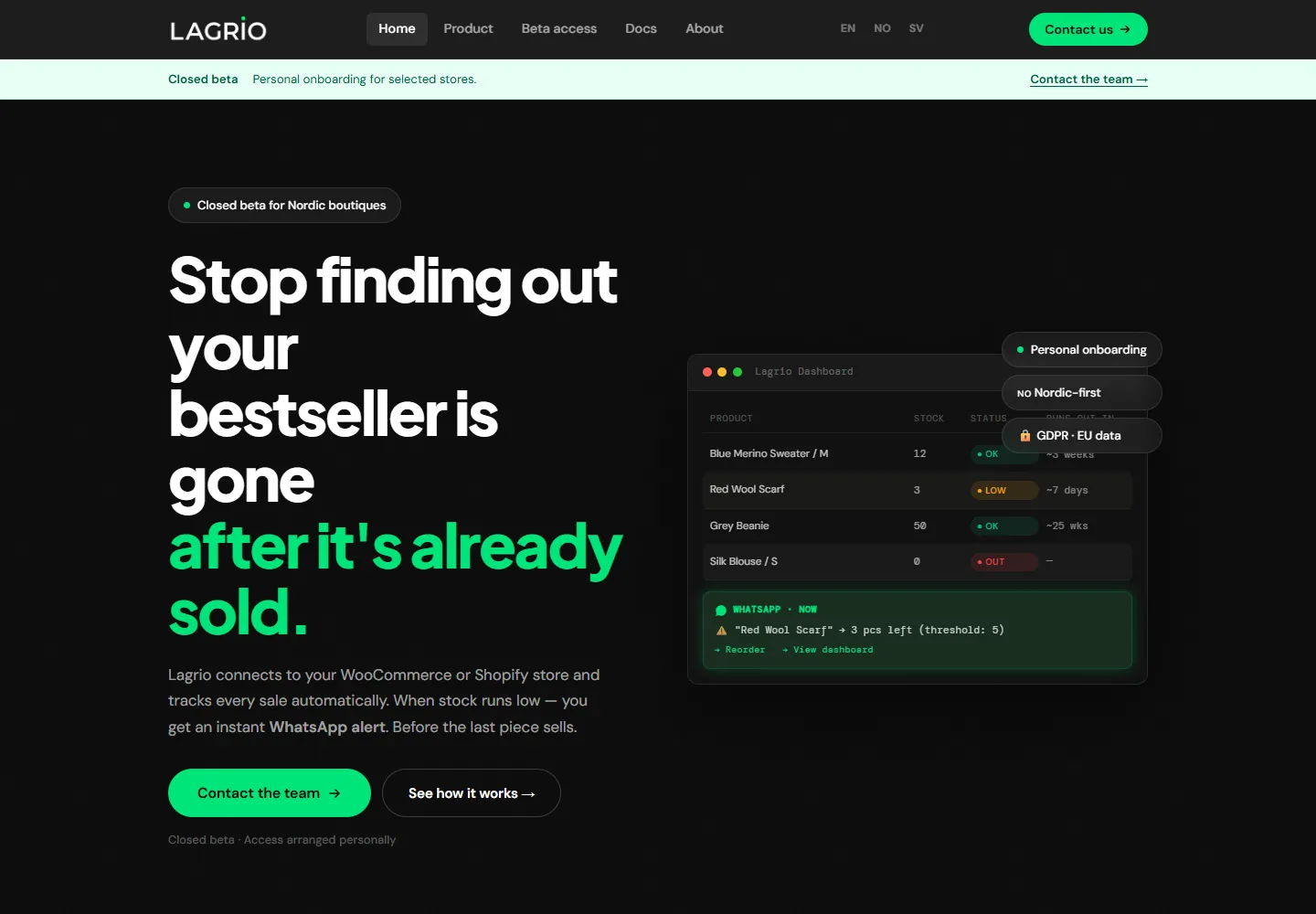
Public website capture · Lagrio
The inventory problem inside a configurable catalogue
Lagrio came from the material and inventory needs of my own accessories shop. There were not hundreds of unrelated product families. The complexity came from the combinations inside each family: colours, widths, clips, rivets and other components. A sale of a finished product could therefore affect a more specific stock position or several underlying materials.
That made a simple count of products insufficient. I wanted to understand what was available, how long the remaining stock might last and what needed replenishing. I built a working beta around those questions, using my own store as the operating context.
My contribution starts with identifying the process and choosing the integration approach. I selected the tools, design and API connections with the existing VPS and database in mind, directed AI-assisted implementation, and checked the interface and actual stock changes. I also selected document-processing models with attention to recognition quality and cost.
Giving WooCommerce an easier way to connect
I created a WordPress connector so connecting a store would not require its owner to build the webhook configuration manually. The plugin documentation defines an API-token connection, a connection test and a product-sync action. It registers order-created and order-updated hooks and provides a way to disconnect the integration and remove those hooks.
The data relationship matters as much as the connection. Product records carry identifiers such as SKU, name and stock quantity. Order information carries the order identifier, item, quantity, status and timing. Those are the inputs the inventory side needs to work out which position an order should affect.
The beta is intentionally grounded in one real catalogue first. The connector makes installation easier; the catalogue still has to be understood correctly. That became the most instructive part of the work.
Two directions through inventory
The error was in which item changed
An early version sometimes updated the wrong stock item after a WooCommerce order. The incoming order data contained several options and Norwegian names. A lavender lead, for example, still needed to be associated with the right width and the corresponding inventory position. Receiving the event successfully was not enough.
I worked through the incorrect changes step by step, checked them against the store and adjusted the integration until it handled those variants correctly in my own environment. The product and order data needed the same interpretation on both sides of the connection.
That experience shaped how I assess inventory automation. A useful test needs to follow the incoming choice through to the position that actually changes. A correct-looking dashboard can hide a wrong material deduction, while a technically valid webhook can still describe a combination the receiving system interprets incorrectly.
Bringing incoming stock into the picture
Supplier documents created another repetitive task. I added PDF intake so that, after receiving goods, I could upload the supplier document, recognise its positions and use them to populate the stock receipt. This gives replenishment its own route into the inventory workflow, alongside the sales events leaving the shop.
The system also provides stock-coverage forecasts and voice access. The useful question is often practical: how long might a particular item last, and when should I think about buying more? A voice agent connected to Lagrio lets me ask about quantities, forecasts and purchasing timing by phone.
These features bring together information that otherwise lives in different places: customer choices in WooCommerce, physical materials, supplier paperwork and the next purchasing decision. They do not all need to look like a conventional product-management screen to be useful.
A beta with a real place to improve
I use Lagrio myself and connect users manually. The Shopify integration has been started but is not a completed marketplace release. The next development work can build on actual catalogue behaviour rather than an assumption that every store uses the same product structure.
The work can be scoped around the client’s own operation: connect the client's store, map the options and materials that matter, make incoming documents useful and expose the information in an interface people can use. Lagrio is an example of building that first operational version, then improving it around the edge cases the business reveals.