Project CRM
Keeping context connected across tools
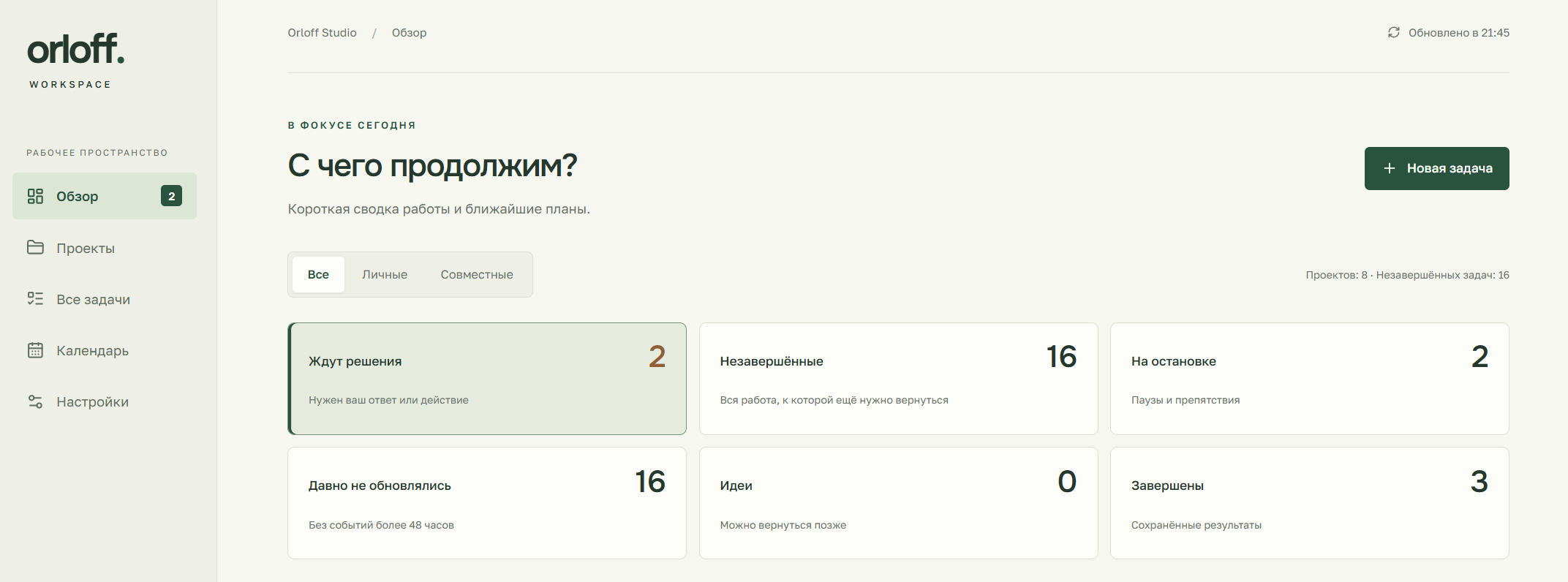
Actual CRM overview · private workspace
A task needed more than its title
I manage personal and shared projects, often moving between my computer and Telegram. A development task might stop because information was missing; a researcher could gather it elsewhere, but that work still needed to return to the original project with enough context to continue.
I built a private CRM around that handoff. It stores projects, tasks, status and supporting material, including what has been completed, what remains, the next action and any blocker that needs attention. It also has a daily view and calendar planning. I can pick up the task with its current state wherever I work next.
A concrete phone-to-computer handoff
If Codex on my computer needs more information, I can ask an OpenClaw researcher through Telegram to open the project and its tasks. The researcher collects the missing material into files and attaches it to the CRM. Codex can then read those materials when development continues on the computer.
I decide what research is needed and when to hand work over. The task record carries the goal, findings and next action between the tools. New entries are created at a person's request or with their agreement; the system does not automatically import whole conversations into a project.
The integrations use REST and MCP access. A context endpoint provides a compact task summary ready for a new agent session, including progress, the next action and references. This is useful when a new conversation needs a reliable starting point without inheriting every earlier message.
A supervised handoff
Designing for a lost response and an old browser tab
Once several tools can update a task, two ordinary failure cases become important. A client can send an update, lose the response and retry it. Separately, someone can edit a card that has changed since it was opened.
The CRM treats these differently. Each delivered event has an identifier retained across retries, so repeating the same operation can return its original receipt without creating a duplicate. Task updates also carry an expected version. If that version is stale, the API returns a conflict instead of silently overwriting the newer record. The interface can refresh the task while preserving the person's draft.
History and changes are stored together in SQLite transactions. The integration client also has a local event queue, so an update can wait to be delivered rather than simply disappearing when the connection is unavailable. Together, the version checks and delivery records keep the task history usable after an interruption.
The same project, different access contexts
The interface separates personal and shared work. The same choice filters projects, tasks, counters and the calendar. Integration tokens can be revoked separately and restricted to the appropriate project scope or Telegram context. A shared-group integration does not need the same access as a personal development session.
A real integration issue appeared during OpenClaw setup. The installed SDK supplied a channel identifier for direct messages, and an early check interpreted any populated value as a group. That hid the CRM tools in personal contexts. The fix distinguished a verified direct-message sender from the permitted group and retained the separate access checks.
The issue was reproduced through the installed SDK and tool loader: the personal contexts initially received no CRM tools, then received the configured set after the correction. Testing through the installed host exposed a difference that the local fixtures had missed.
Planning without pretending that planning runs the work
The calendar allows a date with or without a time. Removing a task from the calendar keeps its card and history. The interface uses the workspace's local time consistently, and the release checks included a browser operating in another timezone.
The calendar records plans. I still initiate the work and the agent handoffs. Similarly, a last-seen integration event is shown as an event, not evidence that an agent is currently running. Those choices keep the interface's meaning aligned with what the system can actually observe.
Checks that matched the intended use
Release verification covered access rules, history and versions, duplicate delivery, calendar dates, older cards, MCP and the OpenClaw fields. Browser checks exercised saving after reload, undating a task without deleting it, filtering and loading more records at desktop and mobile widths. A recovery check restored a SQLite backup into a separate file and confirmed its integrity and row counts.
I use the CRM as an internal tool. A similar client project could provide a small operational workspace, controlled access for integrations, or a research-to-delivery process that survives changes of device and conversation.